
Instant time tracking and reporting for freelancers
Start the timer in one click, write private notes, and instantly share live financial reports with clients.
No credit card required
Private Markdown Notes
Keep folder structures, snippets, and client agreements right next to your timer.
Live Client Reports
Share live payment and income reports with clients in one click.
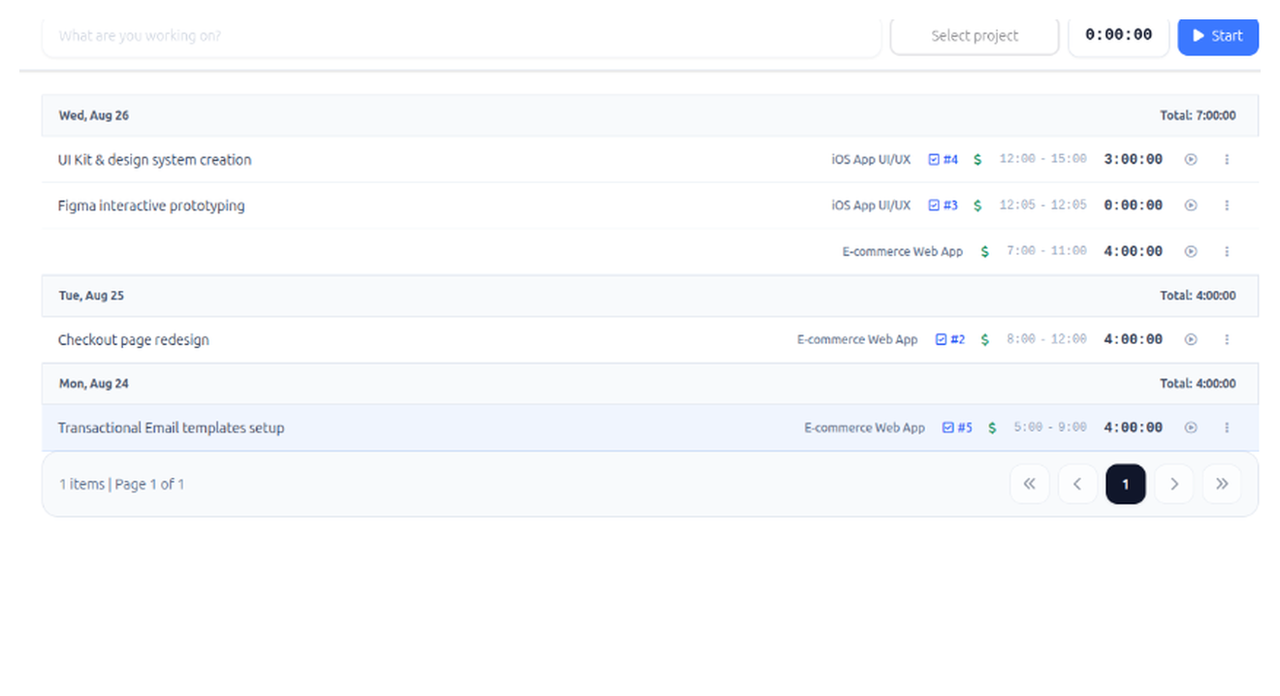
Turnkey time & financial tracking for boutique IT studios
Automated payroll calculation, one-click time approvals, and real project profitability on a single dashboard.
No credit card required
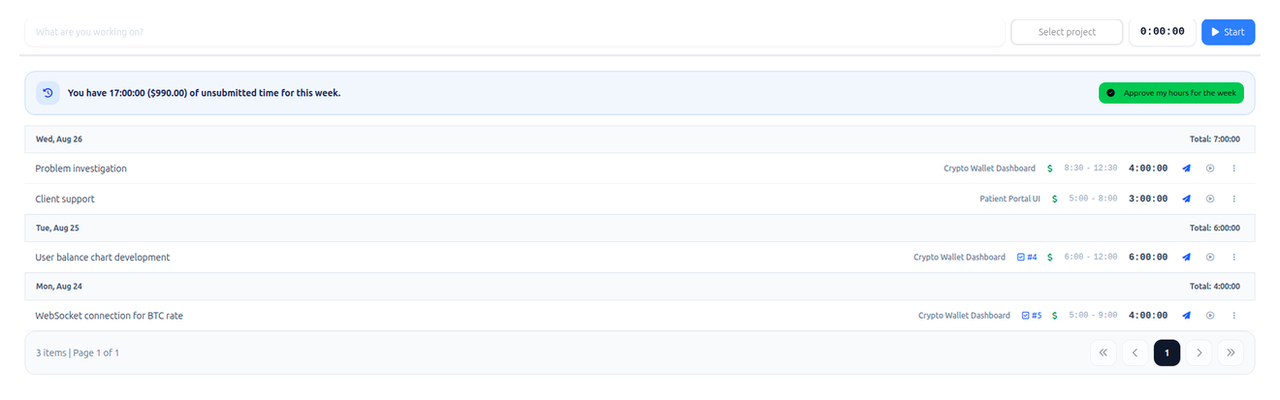
One-Click Approvals
Review, approve, and lock team hours before invoicing clients.
Protected Member Rates
Developers see their payout rates, while workspace owners track true company margins.
Invite your team in 2 clicks
Create a workspace, share the link with your developers, and start tracking. 100% free with unlimited seats during our public beta phase.
Features
Turn tracked time into income insights
Track work, money, and payments in one place so you always know what each client owes you.
Track time across multiple clients and projects
Capture billable hours in real time or add them later with the right client and project attached.
Set hourly rates and automatically calculate earnings
Assign rates to your work and see how every entry adds to your income.
See paid vs unpaid work per client
Compare earned totals with payments received and spot outstanding balances quickly.
Get clear summaries of your income
Review earnings by client, project, date, or task before invoicing.
Client and project view
See exactly how much each client owes you
TimeVic connects tracked hours, hourly rates, and received payments so every client balance is clear before you invoice or follow up.
Total earned
Know how much billable work you have completed for each client and project.
Total paid
Record received payments and compare them against your earned totals.
Outstanding balance
See exactly how much each client has paid and what is still outstanding.
Invoice-ready detail
Open a client or project and review the work, money, and payments behind the balance.
Tasks and integrations
Simple task tracking connected to your time entries
Keep tasks lightweight, connect them to billable hours, and link TimeVic entries to Jira when your client work already lives there.
Tasks without project management overhead
Simple task tracking connected to your time entries without the complexity of full project management tools.
Jira links when you need them
Track time in TimeVic and link it to your Jira tasks.
Optional sync for client workflows
Use TimeVic for time, earnings, and payment clarity while keeping Jira as the place where detailed development work happens.
Tasks and integrations
PROJ-104 · Checkout Flow
Stripe Webhook Handler
Client: Fintech Global · 4.5h
Apple Pay Integration
Client: Fintech Global · 3.0h
Start tracking work, money, and payments in one place
Use TimeVic to turn billable hours into clear client balances, income summaries, and payment follow-ups.