
Tasks, Notes, and Time Tracking in a Single Browser Tab
Stop jumping between three different apps. Manage your task list, write markdown documentation, and track hours inside one unified workspace.
No credit card required • Instant start in 30 seconds
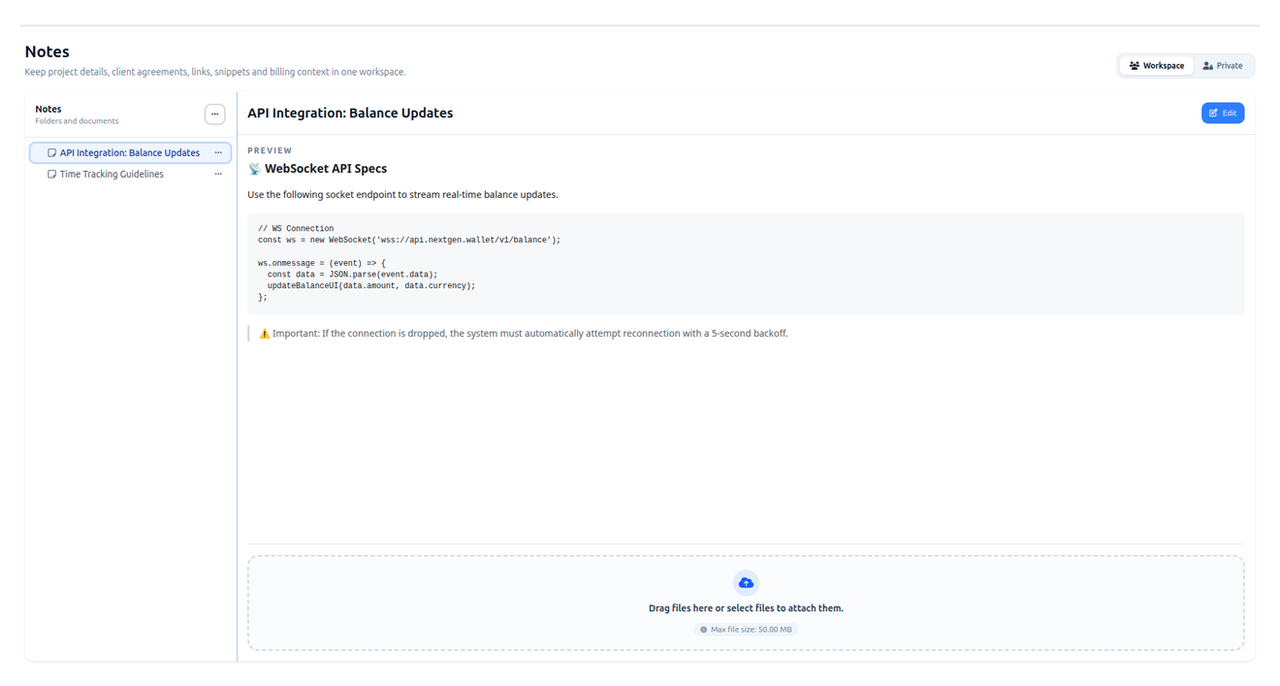
Lightweight & Focused Task Tracker
Create tasks, link timer entries to them, group by projects, and lead your team through sprints. Zero clutter, pure focus on execution.
Instant Timer Binding
Launch the timer directly from any task row or modal card. Tracked hours automatically attach to the task and sync with timesheet reports.
Project & Sprint Grouping
Structure work by client, project, and custom task lists (To Do, In Progress, Backlog). Track estimates and team assignments at a glance.
Zero Bureaucracy & Fast Filters
Create tasks in seconds without endless mandatory fields. Fast keyboard-friendly filters keep your workflow seamless.
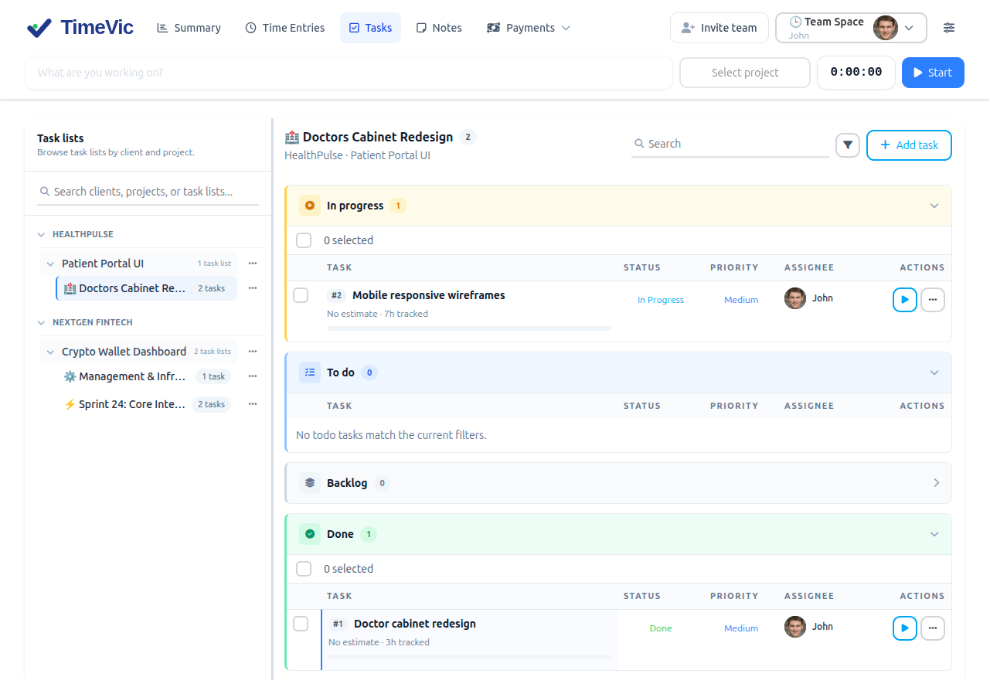
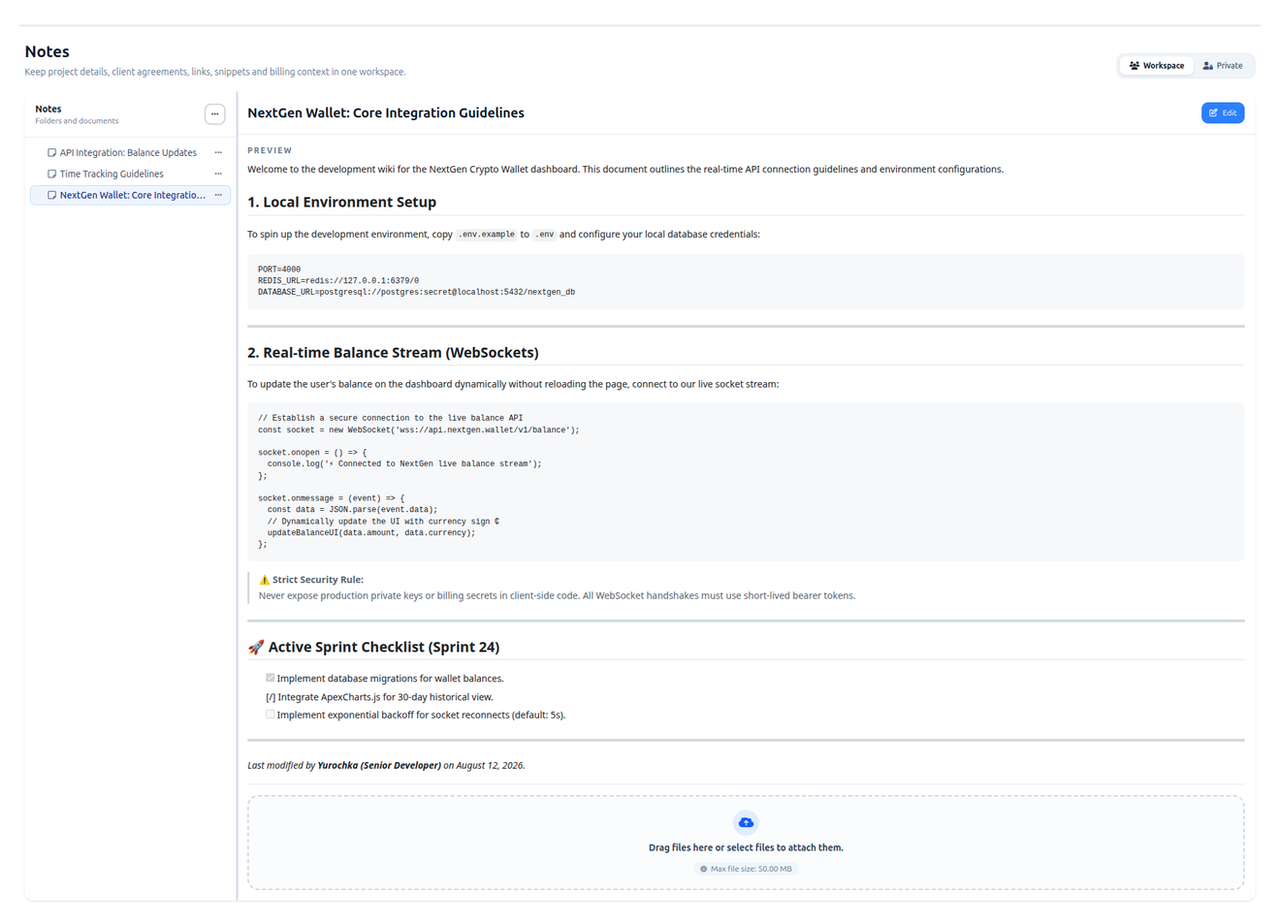
Beautiful Markdown Wiki with Two Workspaces
Organize team guidelines, specifications, and SOPs in the Workspace tab, or keep personal drafts and technical snippets in your Private space.
Workspace & Private Spaces
Switch between shared team documentation and your own private scratchpad with a single click.
Granular Permissions & Safety
Developers can freely create and enrich documentation, while deletion of shared folders and critical company guidelines is protected.
Full Markdown & Code Support
Write with syntax highlighting, nested headers, task lists, and structured tables built for modern development teams.
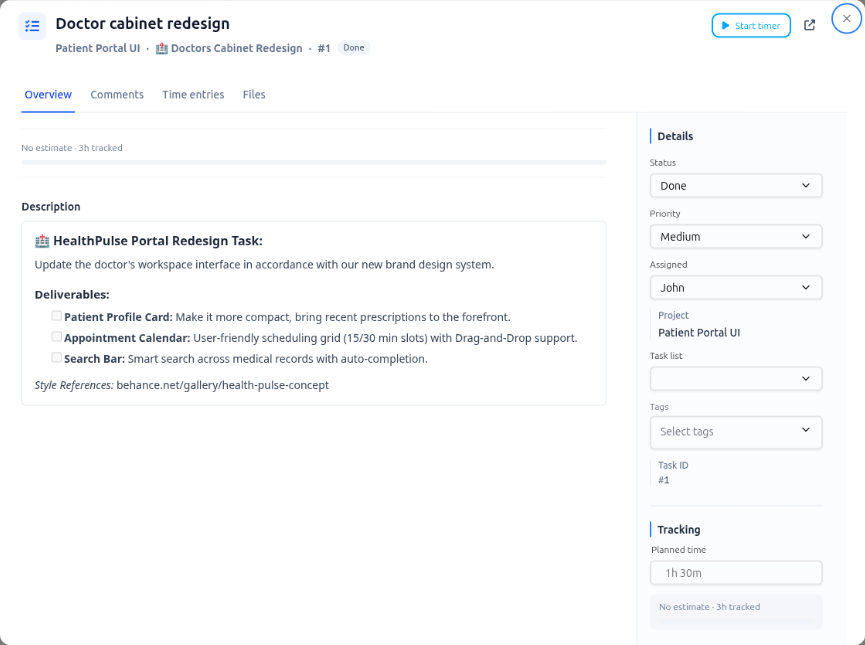
Start Tracking Directly from Any Task Card
Stop wasting time copying task names into your tracker. Open any task card and click "Start timer". TimeVic automatically links your tracked hours to the respective task, project, and client.
Instant One-Click Timer
The prominent "Start timer" button in the task modal starts tracking instantly without friction.
Automatic Context Binding
Tracked hours automatically inherit project, task list, and client associations.
Instant Report Sync
Every recorded entry immediately syncs with your timesheets, financial reports, and payouts.
Ready to Unify Tasks, Knowledge Base & Time Tracking?
Try TimeVic for free today. Manage tasks, build documentation, and track work hours in one modern workspace.
No credit card required